
Upgrade a server's Ubuntu version
To determine if a server’s Ubuntu version needs to be upgraded, find out which version of Ubuntu the server is running and then check if that Ubuntu version still receives security updates.
View a server’s Ubuntu version
The version of Ubuntu a server is running can be seen either in the ServerPilot dashboard or through SSH.
To view a server’s Ubuntu version in the dashboard:
- Go to the Servers page and click on the name of the server.
- Click on OS Info.
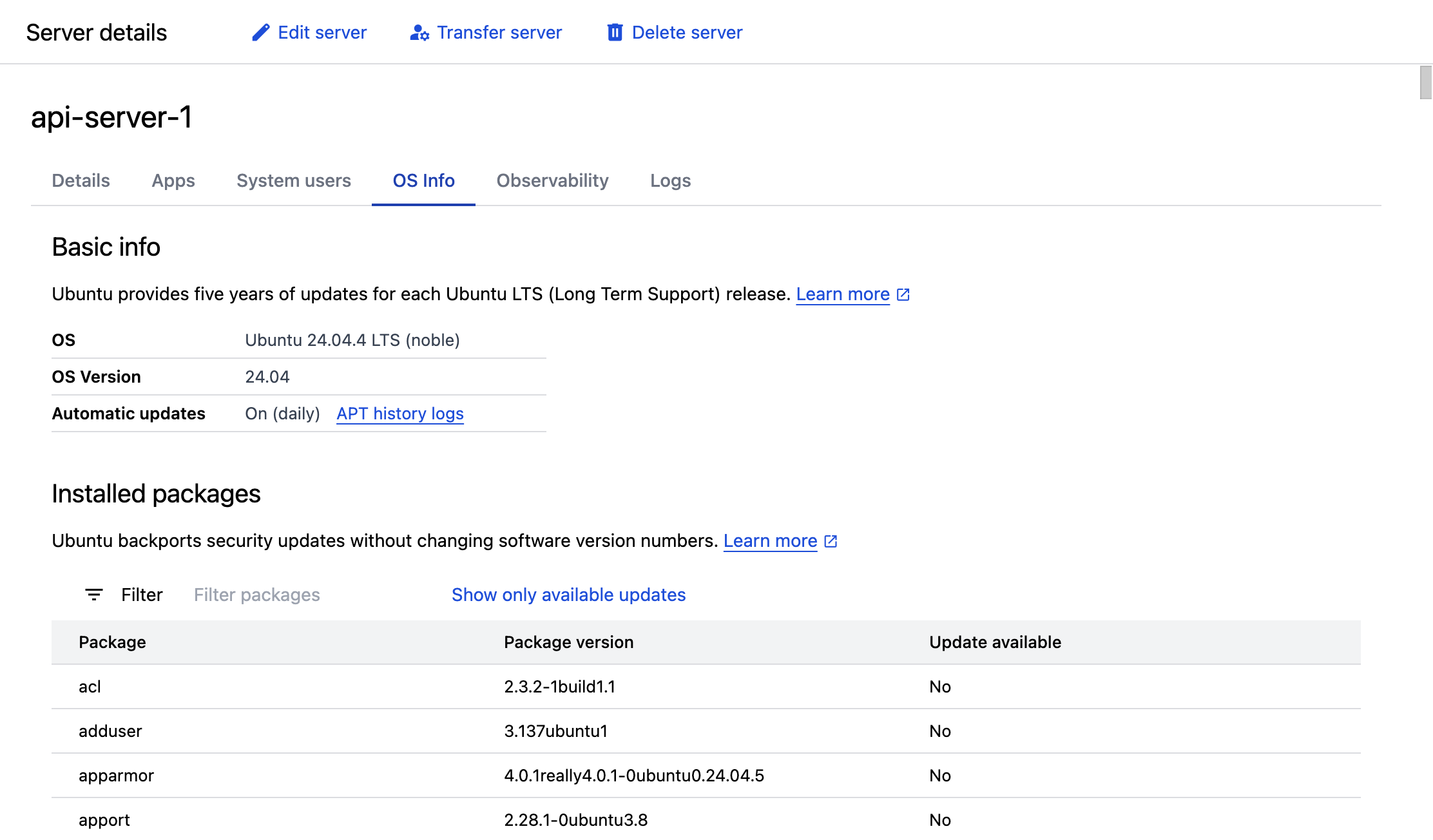
To view a server’s Ubuntu version using SSH, log into the server and run the following command:
cat /etc/lsb-releaseDetermine if upgrading Ubuntu is required
See the list of Ubuntu releases to determine if the server’s Ubuntu version still receives security updates.
Alternative to upgrading Ubuntu
Rather than upgrading Ubuntu, it’s often easier to migrate apps to a server running a newer version of Ubuntu. To migrate to a new server, create a new server at your cloud provider with the latest version of Ubuntu, connect the new server to ServerPilot, and migrate the apps from your existing server to the new server.
See the following articles for information on migrating apps:
Upgrading Ubuntu
When upgrading Ubuntu, you can only upgrade to the next Ubuntu version (you cannot skip versions). For example, to upgrade from Ubuntu 20.04 to 24.04, you must perform two separate upgrades: first upgrade from Ubuntu 20.04 to 22.04, and then upgrade from Ubuntu 22.04 to 24.04.
To upgrade Ubuntu, use the following guides: